Best Rotary Attachments & Accessories 2026
Transform flat designs into 3D engravings on curved surfaces, bottles, and cylinders with rotating attachments for your laser cutter.

LaserPecker LP4 Limited Edition Holiday Bundle
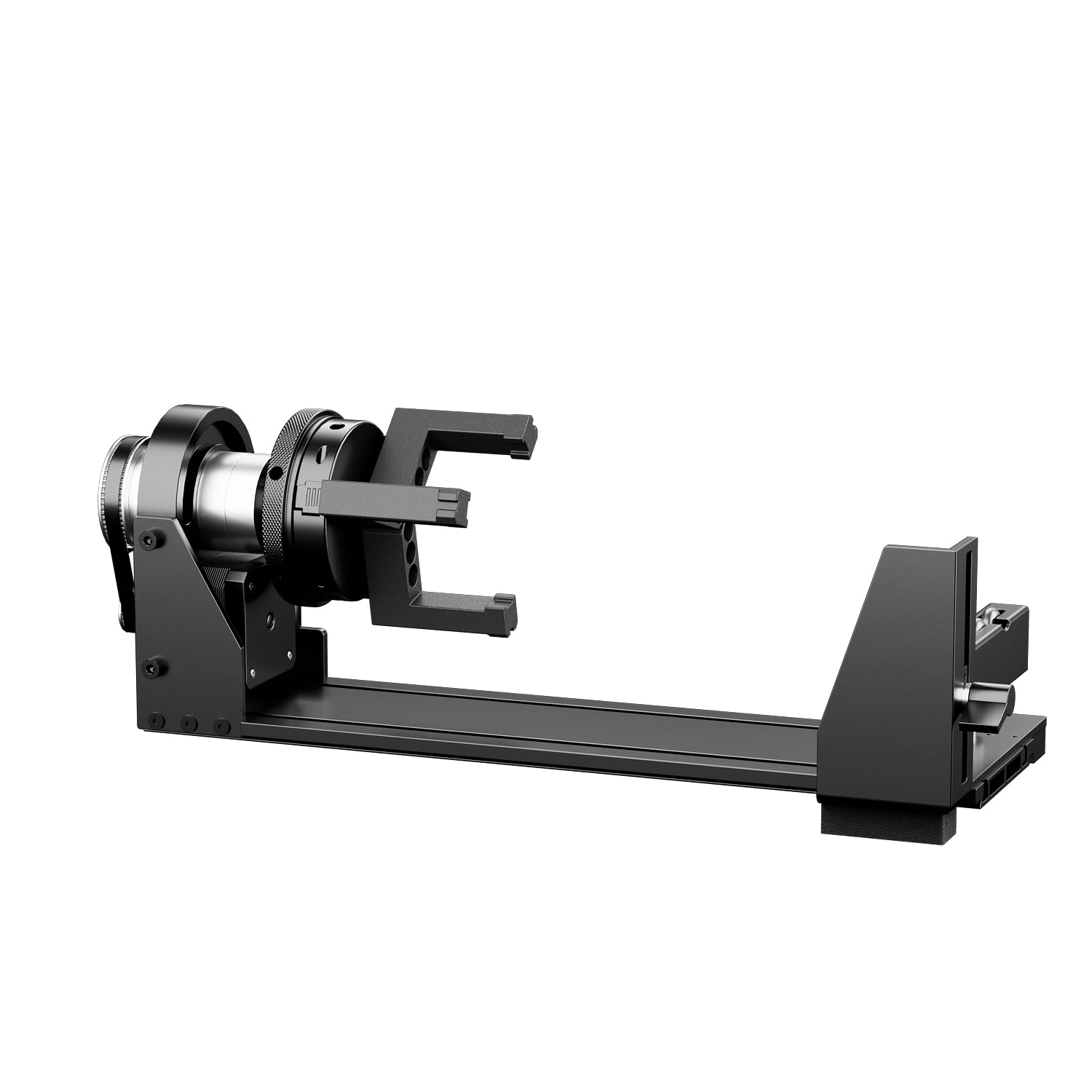
3.5" Chuck-Style Rotary Engraving Attachment

Rotary Chuck – MCWlaser

Desktop Pixel Art Player p3a
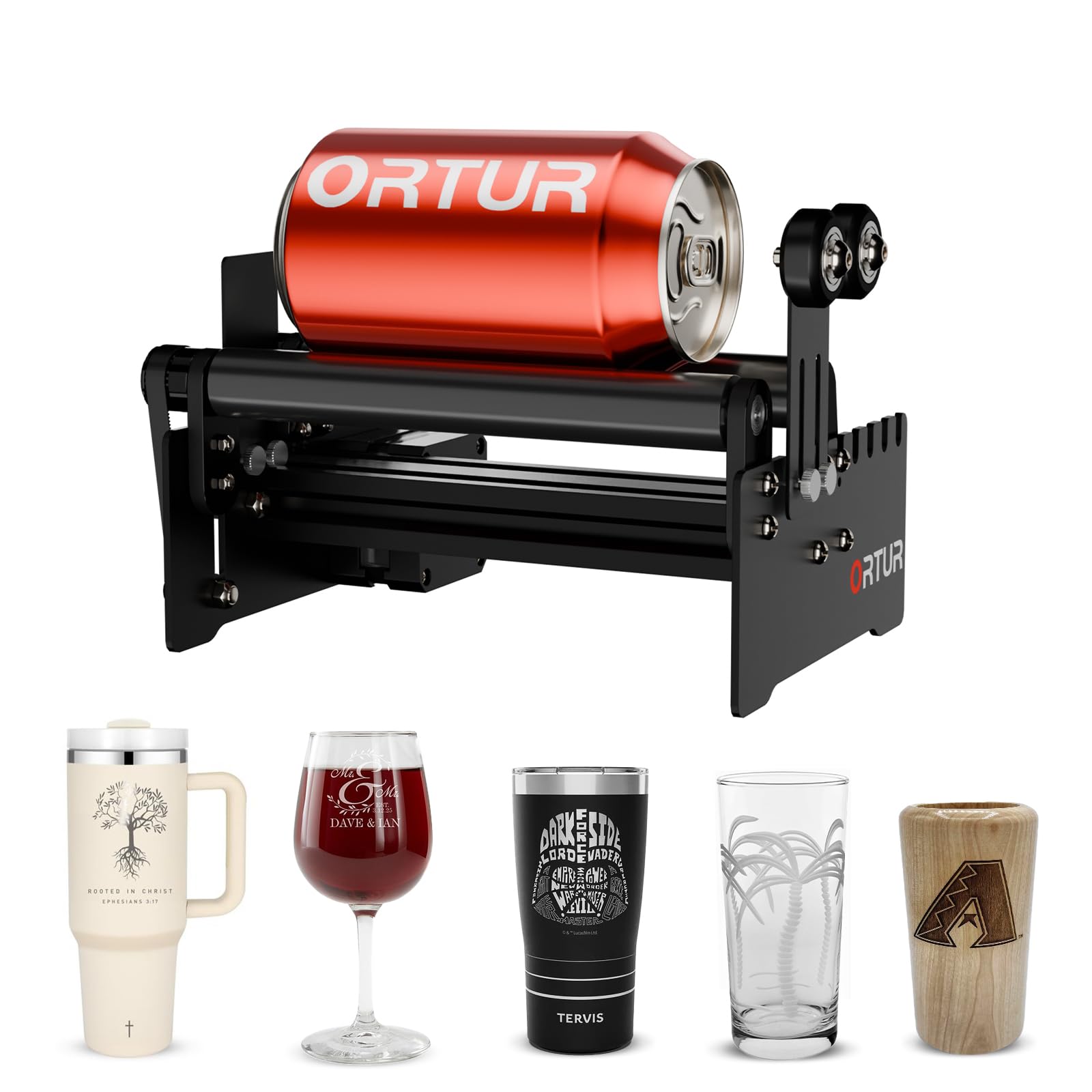
Ortur YRR 2.0 Rotary Roller for Cylinder Engraving
A rotary attachment lets a laser engrave around a cylinder instead of across a flat bed, which opens up tumblers, bottles, pens, tubes and wooden dowels. The products on this page take two different approaches. Chuck-style units, such as the 3.5-inch Chuck-Style Rotary Engraving Attachment and the MCWlaser Rotary Chuck, grip the object at one end. A roller-style unit, the Ortur YRR 2.0 Rotary Roller, spins the object on rollers. There is also a dual-laser machine bundle, the LaserPecker LP4 Limited Edition Holiday Bundle, that includes a rotary for drinkware.
Our scores reflect the information available for each listing, and several specs here still need to be checked on the manufacturer's page. Before choosing, confirm that your laser controller supports a rotary axis, decide what shapes you plan to engrave, and be ready for manual focus and some calibration. The sections below cover the trade-offs that matter most.
How to choose rotary attachments & accessories
Match the attachment to your machine
Compatibility comes first. The Ortur YRR 2.0 is described as working with most Ortur models and connecting directly to the laser controller, so it suits owners of that brand but is a poor fit if you do not have an Ortur engraver. The 3.5-inch chuck and the MCWlaser chuck are listed as compatible with CO2 and diode lasers, though the 3.5-inch unit needs a rotary axis on your machine and the MCWlaser is a passive mechanical accessory. The LaserPecker LP4 bundle is a complete system, so compatibility is built in but you are buying a whole machine.
Chuck or roller: think about the objects
A chuck holds an object by gripping it, which suits pens, tubes, dowels and bottles with a clear end to clamp. The MCWlaser chuck handles objects up to 50mm in diameter and has adjustable jaws, but its listing notes that jaw marks can appear on soft materials. The 3.5-inch chuck accepts a larger 3.5-inch diameter but is limited to what fits inside it. A roller such as the Ortur YRR 2.0 has adjustable roller spacing for various diameters and avoids clamping, which can be gentler on cups and bottles.
Plan for setup, focus and software
All three standalone attachments here list manual focus adjustment, so expect to refocus for each new object diameter. The 3.5-inch chuck's listing notes additional setup and calibration per project and possible software updates or plugins. The MCWlaser listing mentions possible software configuration, and the Ortur lists LaserGRBL and LightBurn compatibility along with possible firmware updates on older Ortur models. If you are new to laser engraving, get comfortable with flat work first, since the 3.5-inch chuck listing specifically advises against it for beginners.
Decide between an add-on and a bundle
If you already own a compatible laser, a standalone attachment is the direct route. The Ortur YRR 2.0 was listed at $59.99 at Ortur Store, checked 2026-11-13; the other attachments do not have prices given here. The LaserPecker LP4 bundle groups a rotary with other add-ons and may cost less than buying separately, but the listed $0.00 price is a placeholder and bundle contents are unverified, so confirm both before buying. Its work area is small and its cutting ability is limited, so it fits personalization more than production.
Frequently asked questions
Will a rotary attachment work with any laser?
No. Your laser's controller needs to support a rotary axis, and the attachment must suit your machine. The Ortur YRR 2.0 is aimed at Ortur engravers, while the chuck units are listed as compatible with CO2 and diode lasers. Check your machine's documentation before buying.
What is the difference between a chuck and a roller rotary?
A chuck grips one end of the object, which suits pens, tubes and dowels. A roller supports the object on rotating rollers with adjustable spacing, which the Ortur YRR 2.0 uses for cups, bottles and dowels. Chuck jaws can leave marks on soft materials.
What is the largest object I can engrave?
It depends on the unit. The MCWlaser Rotary Chuck lists objects up to 50mm in diameter, and the 3.5-inch chuck-style attachment lists a 3.5-inch diameter capacity. The Ortur roller's capacity depends on the host engraver, and the LaserPecker LP4 has a small work area to verify.
Do I need to focus the laser for each object?
Yes, for the standalone attachments here. The 3.5-inch chuck, the MCWlaser chuck and the Ortur roller all list manual focus adjustment, so plan to refocus when the object's diameter changes. The LaserPecker LP4's focus method should be verified on the manufacturer's page.
As an Amazon Associate, we earn from qualifying purchases. This site may earn affiliate commissions from links to products, at no extra cost to you.